
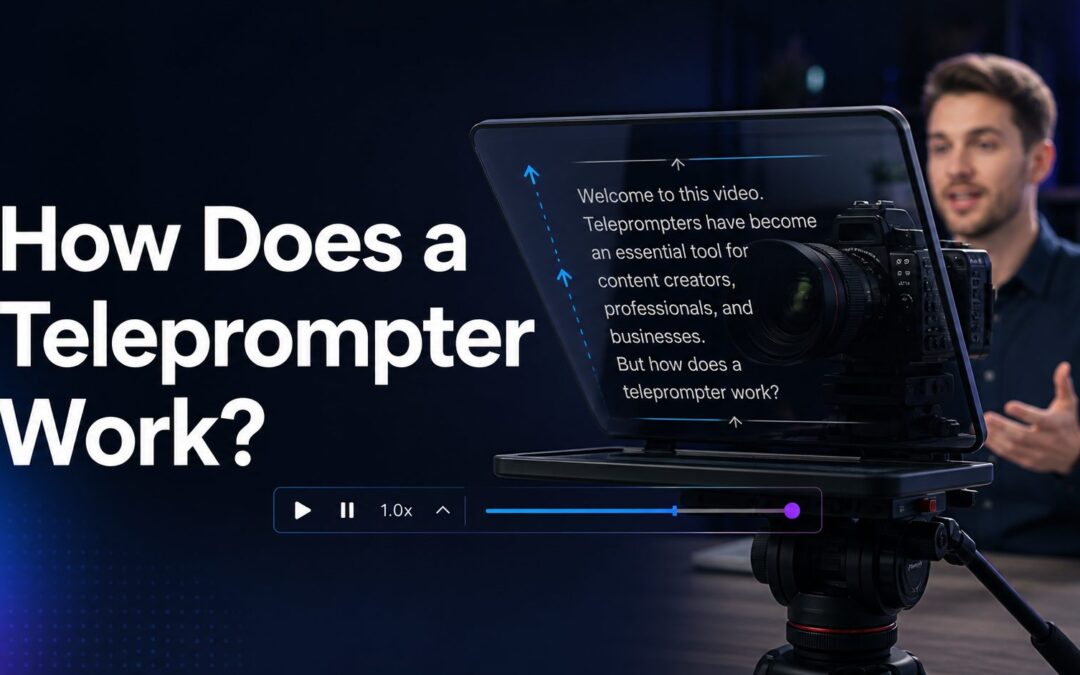
If you have ever wondered how does a teleprompter work, the basic idea is simple: it lets a speaker read prepared words while still looking directly at the camera or audience.
A teleprompter combines a screen, mirrored glass, and scrolling text so the presenter can deliver a script smoothly without looking down at notes.
This tool is common in television studios, online video production, speeches, newsrooms, webinars, and live events because it supports clearer delivery and stronger eye contact.
Although it looks effortless from the viewer’s side, a teleprompter depends on careful setup, readable formatting, controlled speed, and practice from the person speaking.
A traditional camera teleprompter places a monitor below or above the camera lens and reflects the script onto a special piece of glass set at an angle.
The glass is often called a beam splitter. It reflects the words toward the speaker while allowing the camera to shoot through it.
Because the camera is positioned behind the glass, the audience sees the presenter looking straight ahead, not reading from a screen.
The text scrolls at a controlled pace, either by an operator, a foot pedal, a remote, or software that follows the speaker’s timing.
This setup helps presenters sound prepared while keeping their face, eyes, and attention connected to the viewer.
What Parts Make a Teleprompter Work?
Display Screen
The display screen shows the script in large, readable text. In many setups, this screen is a dedicated monitor, tablet, laptop, or phone placed inside the teleprompter frame.
Reflective Glass
The reflective glass sits at an angle, usually around 45 degrees, so the presenter sees the script reflected toward them while the camera sees through the glass.
Camera Position
The camera is placed directly behind the glass, aligned with the reflected words. This alignment creates the effect of direct eye contact because the speaker reads from the same direction as the lens.
Teleprompter Software
Teleprompter software controls how the script appears, including font size, scroll speed, spacing, margins, countdowns, and sometimes voice-activated movement.
Mounting Hardware
Mounting hardware keeps the camera, glass, and screen stable. A secure mount is important because even small shifts can make the text harder to read or affect the camera angle.
Control Method
The script may be controlled by a human operator, keyboard, remote, foot pedal, or app. Good control helps the words match the speaker’s natural rhythm.
Script Formatting
The script itself must be formatted for reading aloud. Short lines, clear breaks, simple punctuation, and emphasis cues make the teleprompter easier to use.
Why Presenters Use Teleprompters
1. A teleprompter helps speakers maintain eye contact with the camera while following a prepared script.
2. It reduces the need to memorize long passages, which can lower stress during recordings or live events.
3. It improves consistency because the speaker can deliver the same message accurately across multiple takes.
4. It supports better pacing by giving the presenter a steady visual guide throughout the delivery.
5. It saves production time because fewer pauses, mistakes, and restarts are needed when the script is easy to follow.
Teleprompter Setup Essentials
- Readable font: Use large, clean type that can be read comfortably from the presenter’s standing or seated position.
- Correct speed: Set the scroll speed to match natural speech, not the fastest pace the presenter can manage.
- Good lighting: Light the presenter well without creating glare on the reflective glass or washing out the text.
- Lens alignment: Place the camera lens directly behind the center of the reflected text for convincing eye contact.
- Short line length: Keep lines narrow enough that the eyes do not visibly move too far from side to side.
- Practice time: Give the speaker time to rehearse so the delivery sounds conversational instead of stiff.
- Backup script: Keep a printed or digital backup nearby in case the device, app, or remote control fails.
How to Read From One Naturally
Speak to a Person
The best teleprompter delivery sounds like a direct conversation. Instead of simply reading words, imagine explaining the message to one specific viewer or listener.
Use Natural Pauses
Pauses make speech easier to follow and prevent the delivery from sounding rushed. Add breaks in the script where a thought changes or a key point needs space.
Avoid Chasing the Text
If the words scroll too quickly, the presenter may sound tense or robotic. The speed should follow the speaker, not force the speaker to follow the machine.
Mark Emphasis Clearly
Simple cues such as line breaks, bold-style wording in the script editor, or capitalized reminders can help the speaker stress important phrases without overacting.
Keep Facial Expression Active
Reading from a teleprompter can flatten expression if the presenter focuses only on accuracy. A relaxed face, small smiles, and natural reactions keep the delivery engaging.
Rehearse the Opening
The first few seconds set the tone. Practicing the opening lines helps the presenter start confidently before settling into the rhythm of the scrolling text.
Review Each Take
Watching playback shows whether the eyes, pace, tone, and posture look natural. Small adjustments often make the next take much stronger.
A teleprompter works by reflecting scrolling text toward a speaker while allowing a camera to record through the glass. This simple optical setup creates the impression of direct, confident eye contact.
The technology is useful, but the quality of the result depends on more than the device. Script formatting, scroll speed, lighting, alignment, and rehearsal all shape the final performance.
For videos, speeches, broadcasts, and online presentations, a teleprompter can make delivery smoother and more professional when it is used with care.
The goal is not to hide the fact that words were prepared. The goal is to make those words feel clear, natural, and focused on the audience.
FAQs About how does a teleprompter work
Does a teleprompter show up on camera?
No, the reflected text does not normally show up on camera because the camera shoots through the glass while the presenter sees the reflection from the other side.
Can you use a teleprompter with a phone?
Yes, many compact teleprompters use a phone or tablet as the display. The device runs a teleprompter app and reflects the script onto angled glass.
Why are teleprompter words mirrored?
The words are often displayed in reverse on the screen so they appear normal when reflected in the glass. Teleprompter software usually handles this automatically.
Who controls the teleprompter speed?
The speed can be controlled by an operator, the presenter, a remote, a keyboard, a foot pedal, or voice-tracking software, depending on the setup.
Is it hard to read from a teleprompter?
It can feel awkward at first, but it becomes easier with practice. The key is to read in phrases, pause naturally, and avoid staring too intensely at the words.
Do teleprompters work for live speeches?
Yes, live speeches often use presidential-style teleprompters with clear glass panels placed near the podium. The speaker sees the text while the audience mainly sees transparent panels.
What is the best script style for a teleprompter?
The best script style uses short sentences, clear paragraph breaks, conversational wording, and visual cues for pauses or emphasis so the speaker can deliver it naturally.